
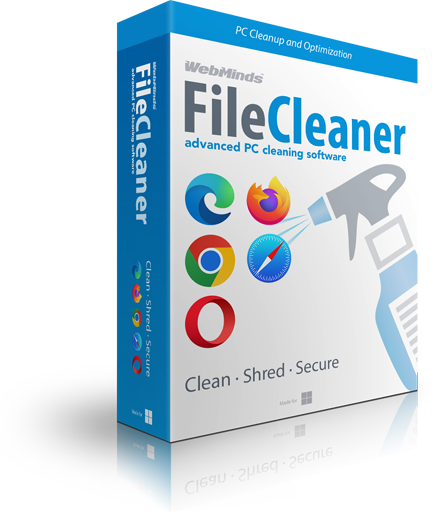
FileCleaner is an advanced Windows cleanup utility that will keep your PC fast and secure. With its help you can fix Windows issues, speed up computer performance, manage your files and software, and protect your privacy in just a couple of clicks.
Every time you go online and browse the Web your browser keeps track of every website you visit. Web history, cookies and temporary Internet files are downloaded and kept on your hard drive. This is supposed to speed up browsing and make the websites you've already visited load faster. However, having all these files stored on your computer takes up valuable disk space and compromises your privacy.
FileCleaner will help you protect your privacy and make your computer faster. It will find and delete history tracks and temporary Internet files for all popular browsers. FileCleaner will also perform disk cleanup and delete other junk files created by your system and software to free up space and speed up computer performance.
FileCleaner includes a powerful Windows cleaner that can find and repair all sorts of system issues. Repairing corrupted system settings with a Windows cleanup utility like FileCleaner will fix crashes, freezes and make your computer run faster. FileCleaner automatically backs up all changes made to your configuration, making it easy to roll back any time.
FileCleaner has a built-in file-shredding feature that will help you to protect your privacy. When you delete a file with the file shredder, you can be sure that it's completely erased from your hard drive and can't be recovered even with the most advanced file recovery software.
FileCleaner is the #1 Windows cleanup utility that will make your PC faster and protect your privacy. It has a 14-day free trial so you can test all of its features and tools before you buy. With FileCleaner your computer will stay fast, stable, and protected.
FileCleaner Features |
 |
|---|---|
| Real-time cleanup | |
| Internet history cleanup | |
| App history cleanup | |
| Temporary files cleanup | |
| Search history cleanup | |
| Recent documents cleanup | |
| Browser extension cleanup | |
| Browser toolbar cleanup | |
| Browser cache cleanup | |
| Registry cleanup & optimization | |
| App uninstaller | |
| File shredder | |
| Shred free space | |
| Large files manager | |
| One-click PC cleanup | |
| Scheduler | |
| File preview for all file types | |
| Automatic registry backups | |
| Intuitive interface | |
| Support for all popular browsers | |
| Windows 10 support |